Role
UX Designer
Team
Project Manager,
2 Software Engineers
Time
5 Weeks,
Launched January 2025
Skills
Figma, User Research,
High-fidelity Prototyping

The Home page allows users to effectively track their application progress.
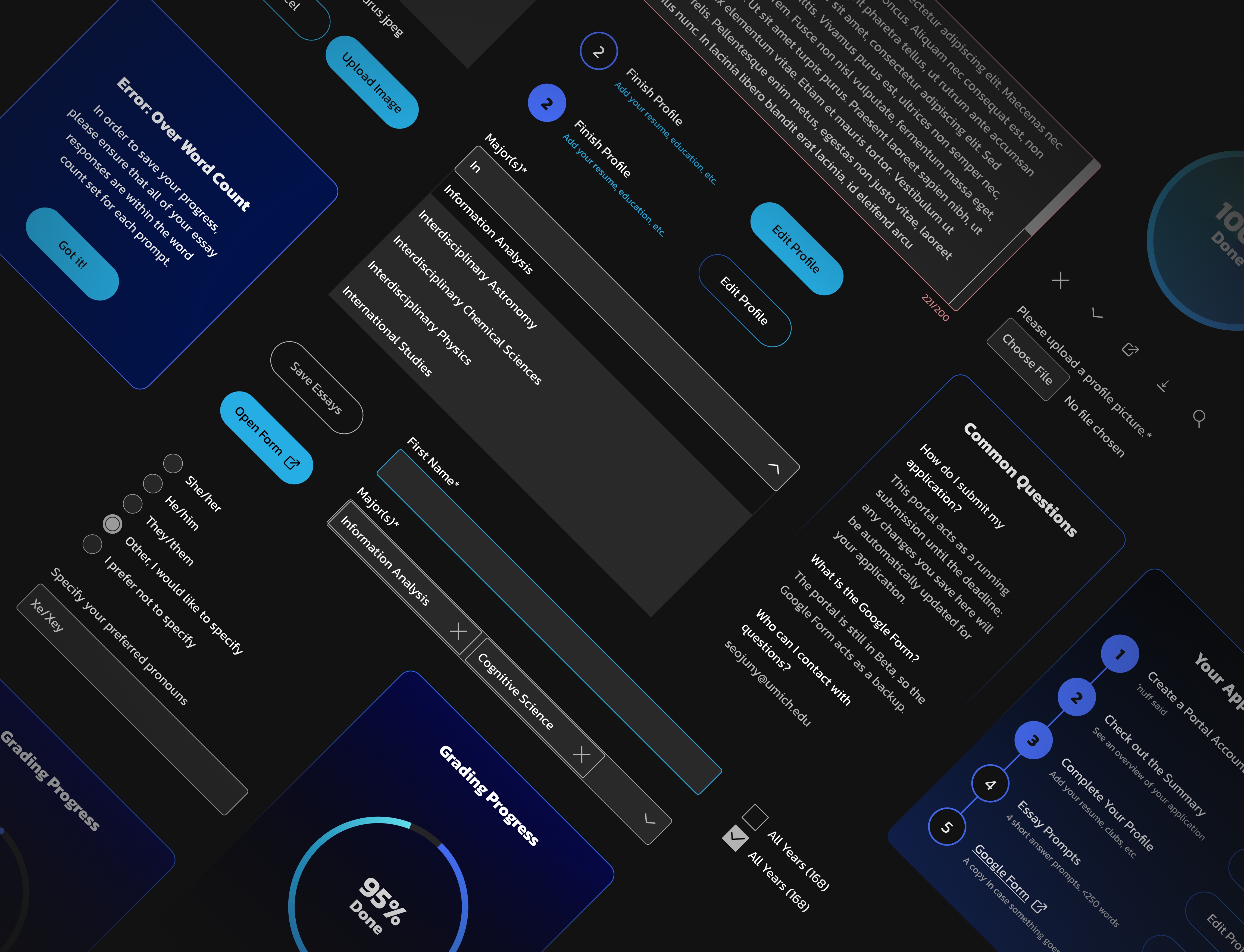
Overview
The Need
Atlas Digital released their application portal in beta in Fall 2024, receiving hundreds of applications in its launch. For the upcoming recruitment cycle, they aimed to improve upon usability issues raised during the first release and ensure that the portal could stand alone as a replacement to traditional recruitment systems.
My Role
I led the design direction of the website and collaborated with developers to launch the applicant-facing portal in 3 weeks, then the member-facing view the week after.
Impact
In its launch the portal garnered 300+ applications and successfully supported the team in receiving and reviewing applications throughout the recruitment cycle.
The Problem Space
In its debut, the application portal was released along with a space to provide feedback.
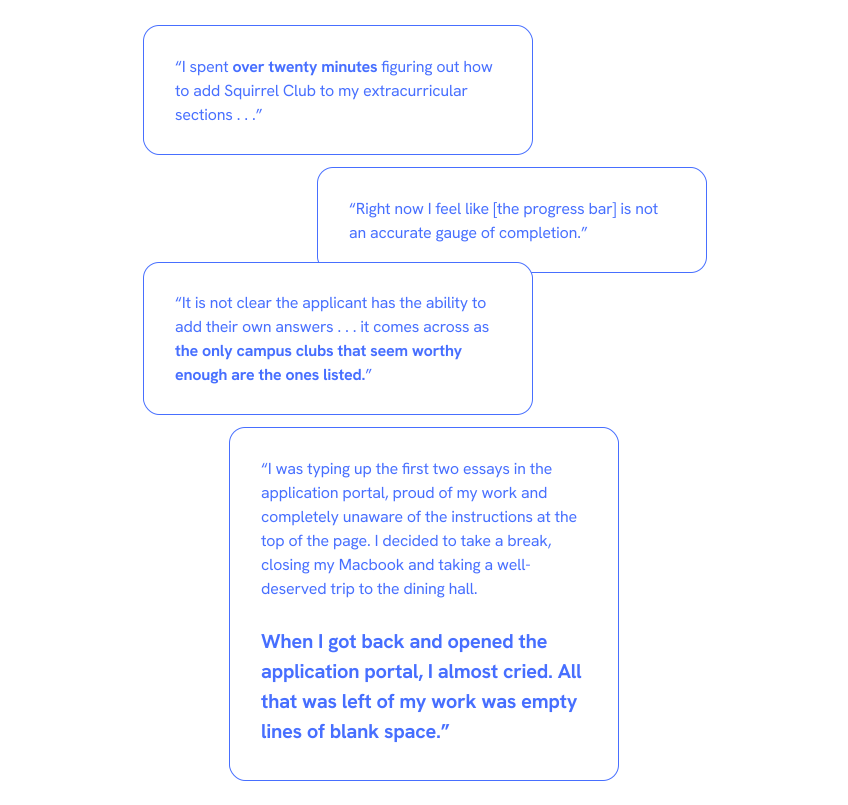
It’s safe to say that there was some frustration.
A survey of 232 applicants revealed:
14%
had difficulty
tracking progress
16%
had difficulty
saving their essays
18%
had difficulty
updating their profile
North Star
Help applicants finish completely and accurately.
Constraint: Tight Launch Date
All changes to the applicant-side would need to be done in time for the next recruitment cycle, which would begin a week after Winter Break.
Constraint: Limited Existing Resources
While there was a Figma file with a few screens from the previous release, there was no established design system; all elements would need to be formalized along the way.
Issue 1: Ambiguous Progress
Laid out linearly, the application steps seem simple . . .
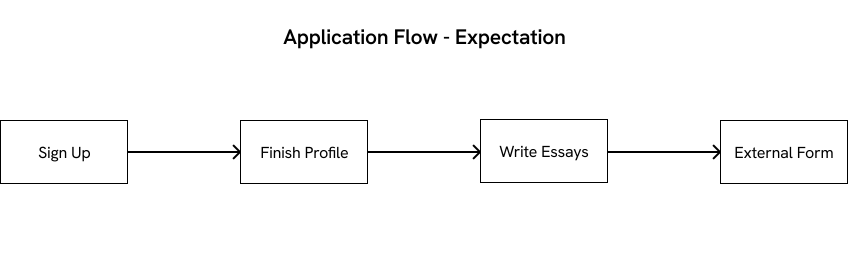
In reality, users can complete application materials in any order, meaning the process looked more like this:

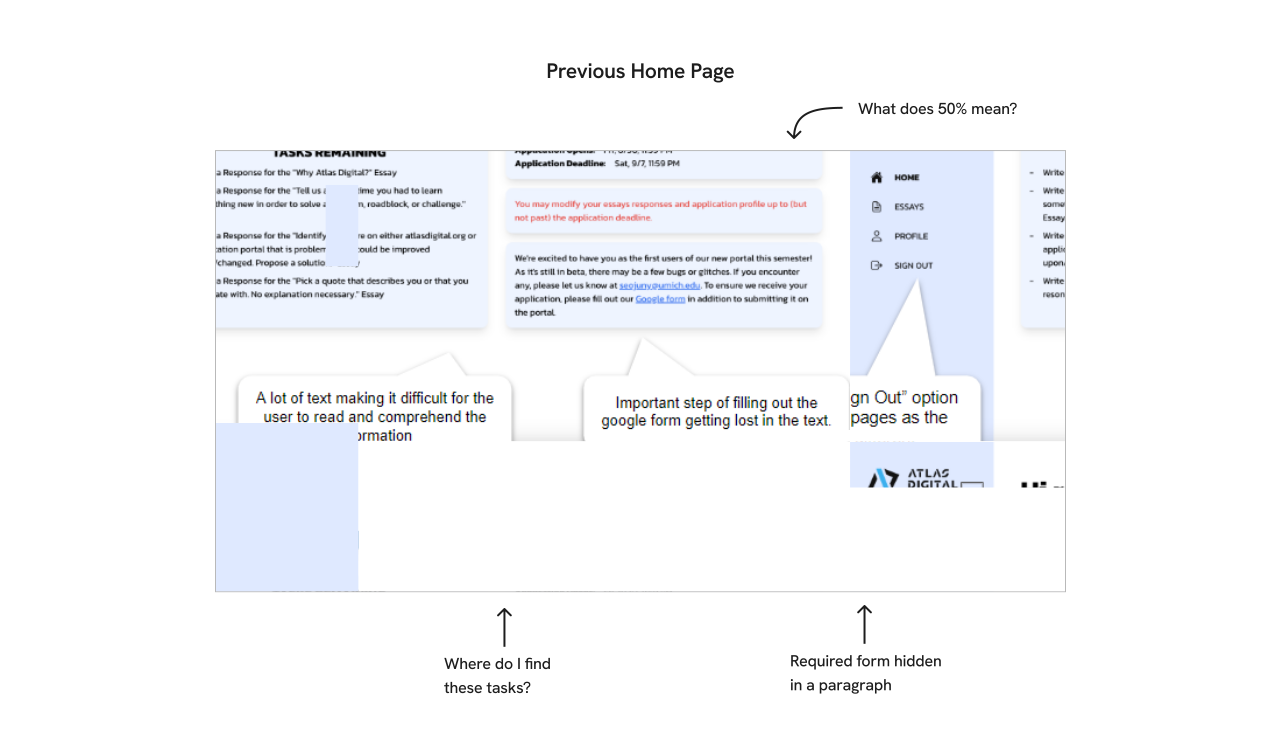
The home page describes the flow in writing, but the progress bar and “Tasks Remaining” sections lack context and visual CTAs, leading people to miss updating their profile information or completing the external form.
To clarify what information needs to be completed, I explored a few different layouts with step-by-step guides. Text was limited to one-line descriptions to reduce information overload and instead summarize the overarching process.
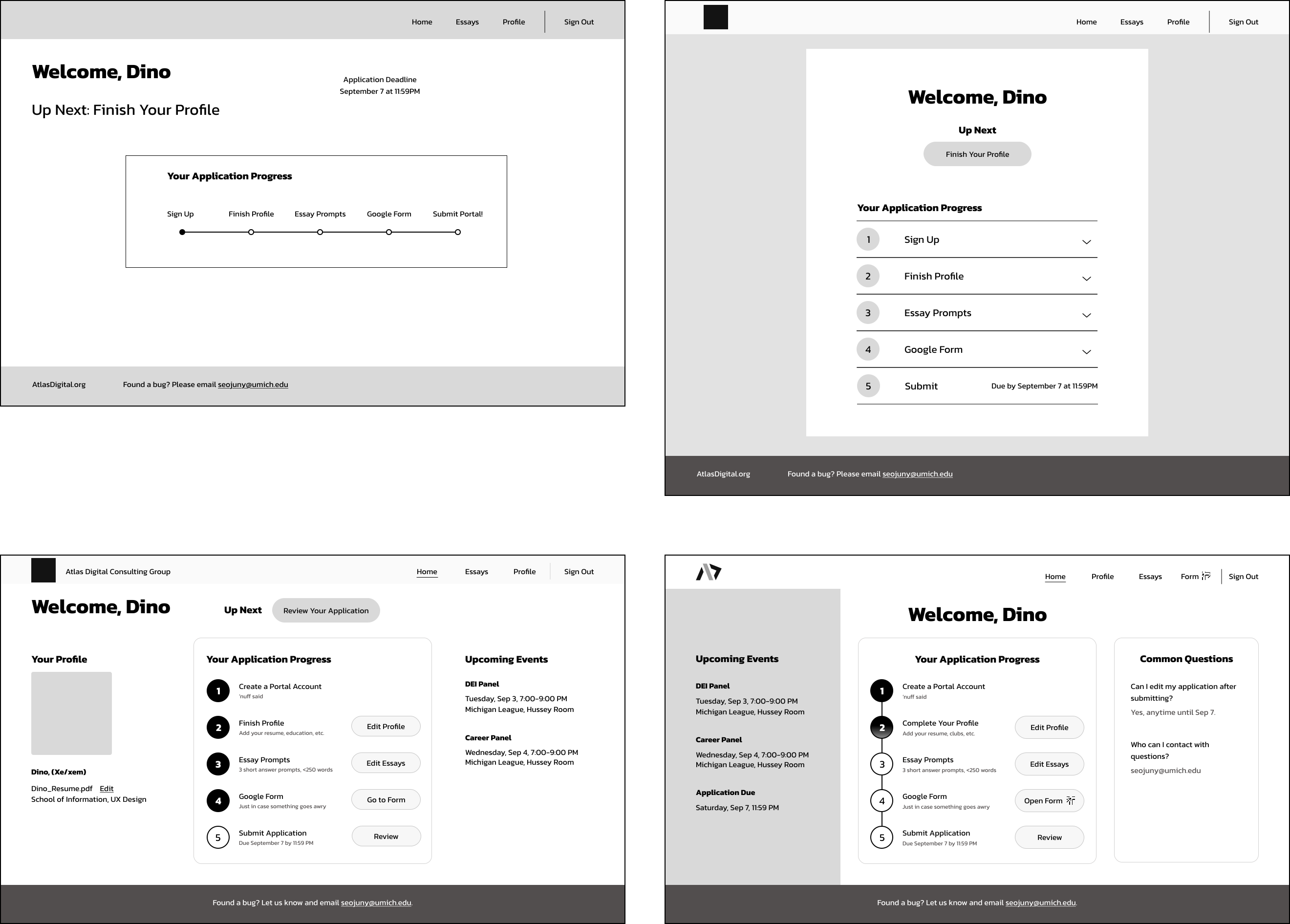
I proceeded with the last layout for a few reasons:
+ Clear call-to-action buttons simplify each step
+ Layout allowed for an Upcoming Events section, as requested by applicants to explore events to connect with members
+ Filled in bubbles create a natural progression and encourage people to work towards a clearly defined end-goal

High-fidelity mockup of the revised home page.
Dev Discussion: No Submit Button?
Wait, what? There's no submit button?
Technically, there’s no need for one. The application portal acts like a running tab; any time applicants edit their application before the deadline, that change becomes part of their official submission.
While I had added a submit button in my initial redesign, further discussion with SWE highlighted that it would be difficult to implement in time for the launch date. Instead, we decided to create a Summary page for this release. The Summary page would allow applicants to see what information was missing from their application and act as an additional layer of confirmation when their application was complete.
Issue 2: Inaccurate Profile Info
Why is it difficult for applicants to fill out their profile information? Two reasons:
1. It must be edited in two places
2. The dropdown menus are unintuitive
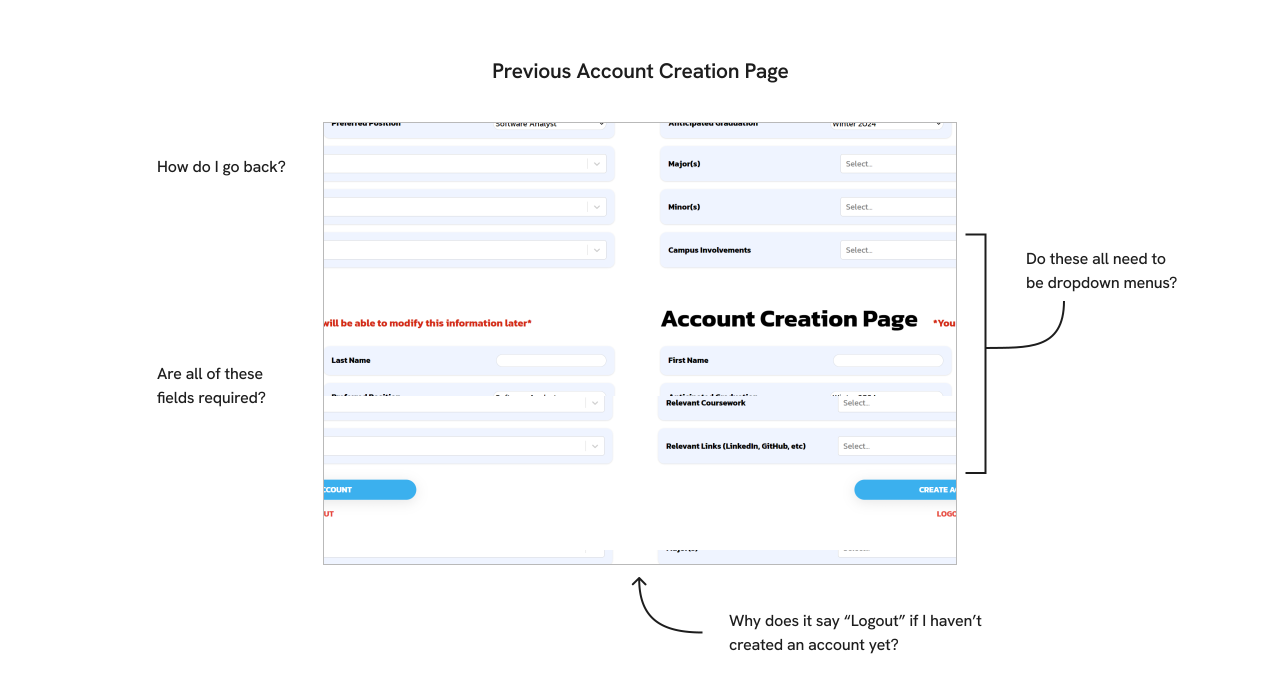
Why is this a bad thing?
Inaccurate Applications
If it’s not edited, the Profile page is submitted with default values, meaning that some applicants may have accidentally applied as a software analyst graduating in Winter 2028. These details play a role in evaluating applicants fairly and maintaining a balance within the club, posing issues if that information turns out to be incorrect later on.
Losing Talent
If people feel barred from adding information that accurately reflects them, they may feel discouraged from applying, limiting the diverse perspectives that could enrich the org. Such sentiment was reflected in feedback we received from previous applicants.
“It is not clear whether users can input options that are not included in the dropdown menus. This might give the impression that certain people should not apply because they are not in the pre-selected majors . . . ”
So, what can be done?
The Account Creation Page is the entryway into the portal. To reduce friction to sign up and begin an application, I moved the bulk of the fields from the sign up flow to the Profile page.

The new Account Creation Page has minimal friction to enter the portal.
Let's look at those dropdown menus.
The Account Creation and Profile pages have several dropdown menus. Each menu has a short list of options to choose from. If the desired option isn’t available, users can type in a custom response to create a new option.
This issue was people didn’t realize they could type a custom response, meaning that some fields such as their major, minor, and coursework seemed limited to the select STEM ones listed.
I tested a few different versions of the dropdown menu with placeholders or other descriptive messaging to prompt users to type their own option.
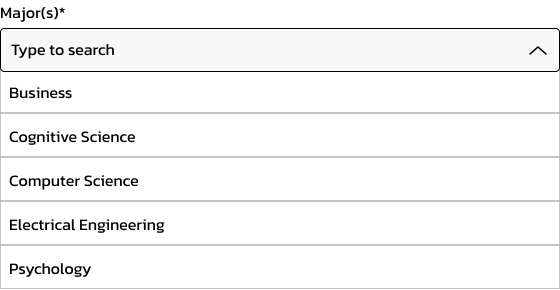
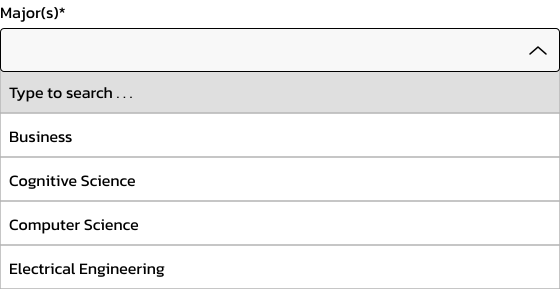
Usability test with two dropdown menus.
So which one succeeded?
As it turns out . . . both versions failed.
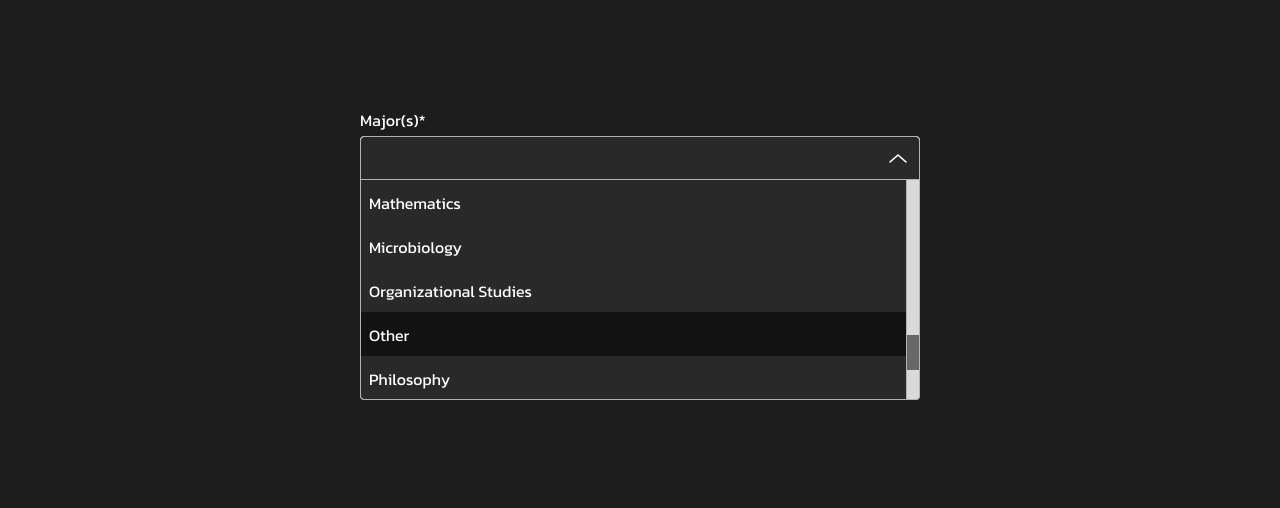
Participants failed to add unlisted majors in either version, as they assumed they could only select from the dropdown list.
Instead, they expected all of the possible majors to be listed in the dropdown menu with a scroll bar, as seen on other forms.
After discussing with SWE, we decided to include comprehensive dropdown lists for fields with categorized responses (including applicants’ major and minor), along with the option to select “Other.”
Visual Design
For the design direction, I took inspiration from the organization's website, with some alterations to standardize the feel for a wide range of functions.

A style guide I created for the application portal.
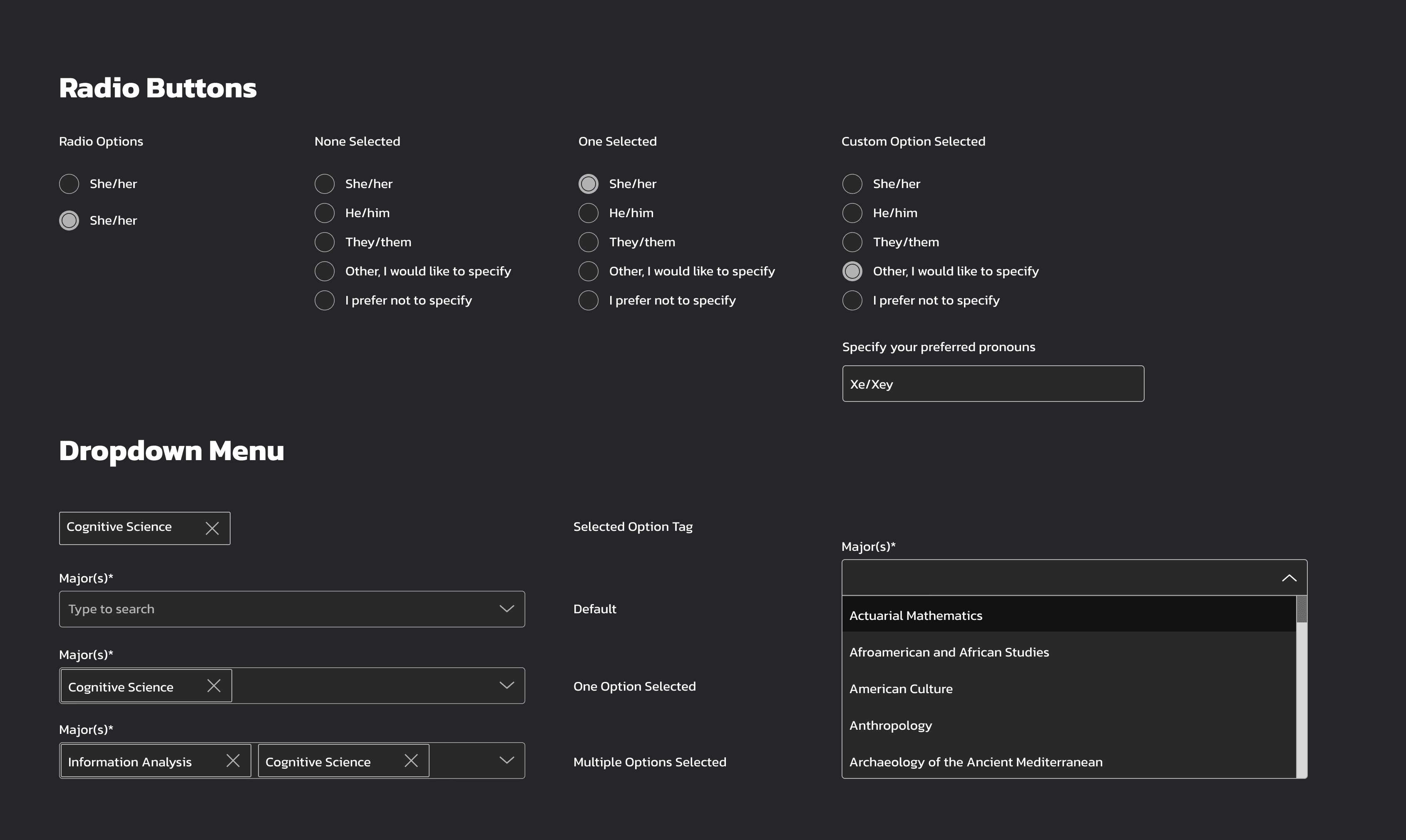
A few components I prototyped for form inputs.
Outcome
After weeks of calls, design iteration, and QA syncs, the portal launched on time (woohoo!). A few stats after the fact:
348 portal sign ups in 1 week
156% increase in unique majors, with 36 total majors represented
Zero external recruitment systems used in the whole cycle
Reflections
Communicate early and often
Establishing more frequent communication had an incredible impact on the productivity of our team, especially working remotely (and at one point, in different time zones). Leveraging the developer's expertise of the back-end implementation allowed me to focus on features that could be edited under the time constraint, and my knowledge from user feedback allowed me to communicate high-priority design changes to the developers, such as making form inputs more intuitive.
Nothing too small
Even something as small as the dropdown menu can disrupt the user flow and lead people to feel blocked or dismissed. On the other hand, a congratulations message can be memorable enough to color the whole experience positively. Paying attention to the small details can can be just as rewarding (if not more) as broader changes.
Next Up
Bringing a lost film to life through a virtual reality dance experience.